Scroll
TOP: Updates Purchase Live Demo
SIDE: Key Features Installation Quick Start Checklist Theme Settings Navigation Optional Pages Bottom Navigation Sharing Image Sizing Comments Announcement Bar Social Accounts Updating The Theme Troubleshooting / FAQ Credits and Support
Documentation
Scroll is a full-screen, vertical snap-scrolling feed theme for Ghost, inspired by short-video apps. It pairs a swipeable post feed with a bottom-sheet reading experience — full comment support, custom sharing, and a lock badge for gated content. This page covers everything you need to set it up.
Key Features
- Full-screen vertical snap-scrolling feed, TikTok/Reels-style
- Bottom-sheet post modal with swipe-to-dismiss
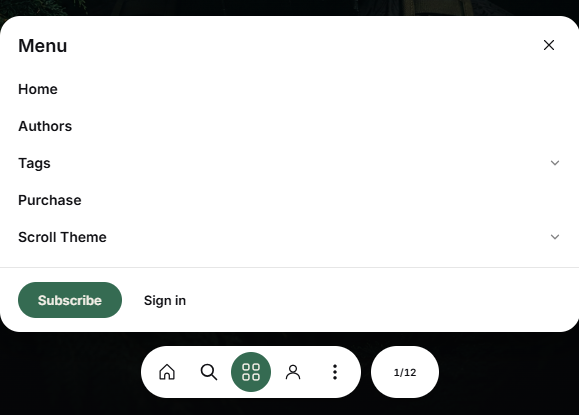
- Custom slide-out navigation with expandable groups
- Dedicated Authors directory and Tags directory page templates
- Native Ghost Comments support
- Custom share modal (Copy Link, X, Facebook, WhatsApp, LinkedIn, Messenger, Email)
- Lock badge for members-only and paid content
- QR code widget for scanning the site on mobile (desktop only)
Installation
- Download the theme
.zipfile. - In Ghost Admin, go to Settings → Design → Change theme.
- Click Upload theme and select the
.zipfile. - Once it's validated, click Activate.
If the upload is rejected, the most common cause is the zip containing a wrapper folder instead of the theme files at the top level.
Quick Start Checklist
Right after activating, do these in order:
- Set your logo and accent color under Settings → Design → Brand.
- Enable Comments — see Comments below.
- Create the Tags and Authors pages with the exact slugs
tagsandauthors— see Optional Pages. - Set up your Navigation — see Navigation for the prefix syntax.
- Add your Social Accounts if you want them in the footer.
Theme Settings
All of these live under Settings → Design → Theme settings.
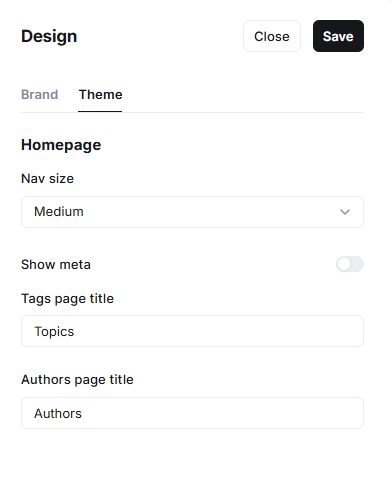
Nav size
Controls the size of the bottom navigation bar — the floating pill with Home, Search, Menu, Account, and Share buttons. Choose from Small, Medium, Large, or Extra Large. A larger size makes buttons easier to tap on mobile; a smaller size keeps more screen space for your content.
Show meta
Turns the author name, publish date, and reading time on and off for each post card in your feed. Turn this on if you want readers to see who wrote a post before opening it. Turn it off for a cleaner, more minimal feed showing only the image and title.
Tags page title
The heading shown at the top of your Tags page (yoursite.com/tags/). Default is "Topics" — change it to anything you like, such as "Categories". This is set here instead of the regular Ghost page title so it's guaranteed to always display correctly.
Authors page title
The heading shown at the top of your Authors page (yoursite.com/authors/). Default is "Authors" — change it to something like "Our Writers" if you'd prefer.
| Setting | Type | Options |
|---|---|---|
| Nav size | Select | Small / Medium / Large / Extra Large |
| Show meta | Boolean | On/Off |
| Tags page title | Text | Default: "Topics" |
| Authors page title | Text | Default: "Authors" |
Navigation
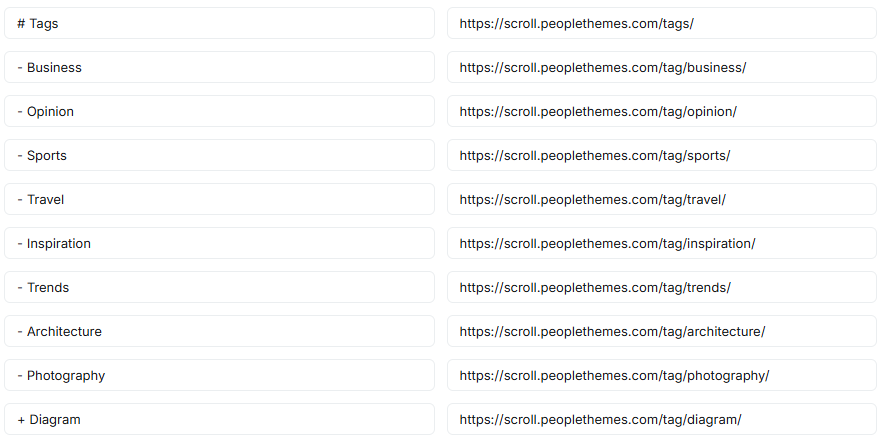
Set up navigation under Settings → Navigation. Scroll's slide-out menu supports expandable groups using a prefix system typed at the start of each Label — no code required.
| Prefix | Meaning |
|---|---|
| (none) | A plain link |
# | First item of a group — clicking the label navigates, clicking the arrow expands/collapses |
- | A middle item inside a # group |
+ | The last item inside a # group — required to close it |
% @ $ | Same roles as # - +, for a second separate group |
Example:
Optional Pages
Scroll ships with page templates that activate automatically based on the Page slug:
| Slug | Template |
|---|---|
tags | Tags directory |
authors | Authors directory |
To use either: create a new Page in Ghost Admin, then set the URL slug to match exactly. You can leave the page content empty — the template handles the layout.
Bottom Navigation
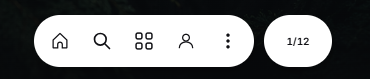
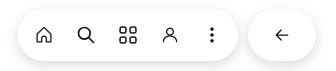
Five fixed actions: Home, Search, Menu, Account, and Share. On the home feed, the counter on the right shows your position (e.g. 1/12); on any other page it becomes a Back button.
Sharing
Tapping Share opens a custom modal with Copy Link, X, Facebook, WhatsApp, LinkedIn, Messenger, and Email, plus a "More" option that falls back to the device's native share sheet.
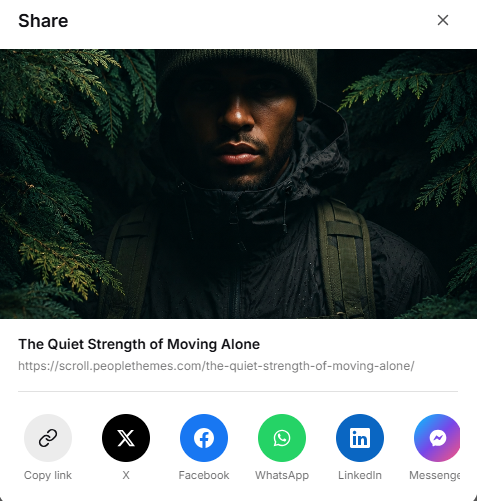
Image Sizing
For best results, upload feature images in portrait orientation, around 1080×1920.
Comments
Scroll supports Ghost's native commenting system. Enable it under Settings → Membership → Comments, then choose who can comment (all members, paid members, or off).
Announcement Bar
Display a message at the top of your site — for promotions, launches, or updates.
- Go to Settings → Announcement Bar.
- Click Customize.
- Enter your message and choose a background color.
- Choose visibility (public visitors, free members, or both).
- Click Save.
Social Accounts
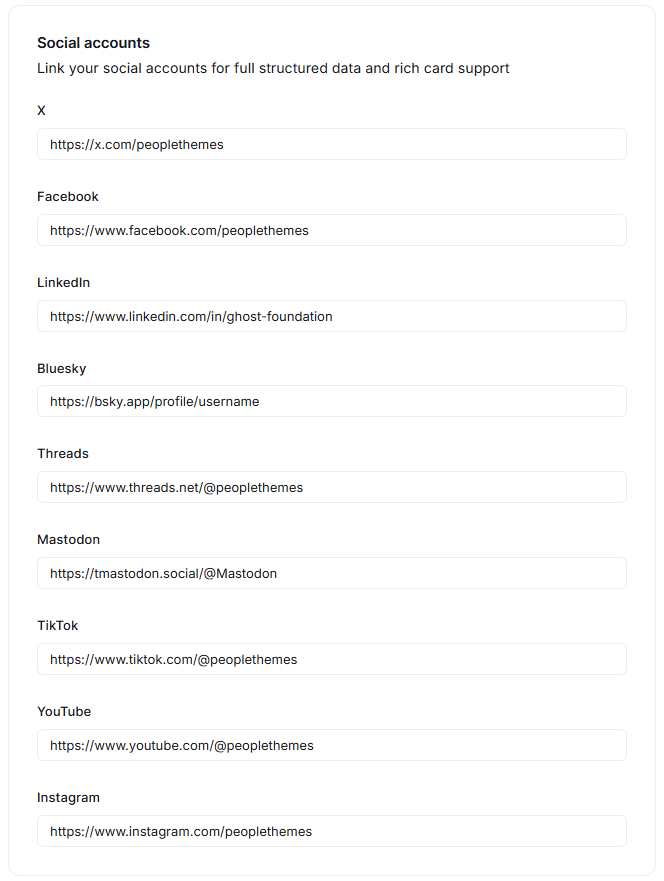
Connect your social profiles under Settings → General → Social accounts. Scroll displays the icons you fill in — X, Facebook, Instagram, LinkedIn, Threads, Mastodon, TikTok, and YouTube — automatically in the site footer.
Updating the Theme
All of your settings (colors, navigation, theme settings) are stored in Ghost's database, not the theme files — you can safely upload a new version of the .zip without losing your configuration.
Troubleshooting / FAQ
Q: My navigation isn't showing a dropdown
A: Double-check the Label field uses the exact prefix symbols (#, -, +) with no extra space, and that the group ends with a + item.
Q: The Tags/Authors page is blank
A: Make sure the Page's URL slug matches exactly (tags, authors) and the page is Published.
Q: Comments aren't showing on my posts
A: Enable commenting under Settings → Membership → Comments.
Credits and Support
Theme: Scroll
License: Commercial — see the included LICENSE file
Support: hello@peoplethemes.com
Updates
Release First Version xx-xx 2026
People Themes
About
We're a small studio focused entirely on Ghost — designing themes that are clean, fast, and built to last. From layout to typography, every detail is considered so you can focus on your content. We believe good design should feel unique, without compromising function."
Support
Stuck on something, or just have a question about this theme? Drop us a message — we usually reply within 24 hours.
People Themes — Uncommon Ghost themes.